

Each build or populate uses one of your 3 beta runs per rolling 24 hours, across the playground, CLI, and API. Pick
one path below rather than running all three.
In the Playground
1
Open the Datasets playground
Sign in and open agent.tinyfish.ai/playground/datasets.
2
Describe the dataset
Type what you want as one sentence: the kind of thing each row is, where or which ones, and the fields you need.Click Build. TinySet plans the columns from your sentence, which can take up to a minute.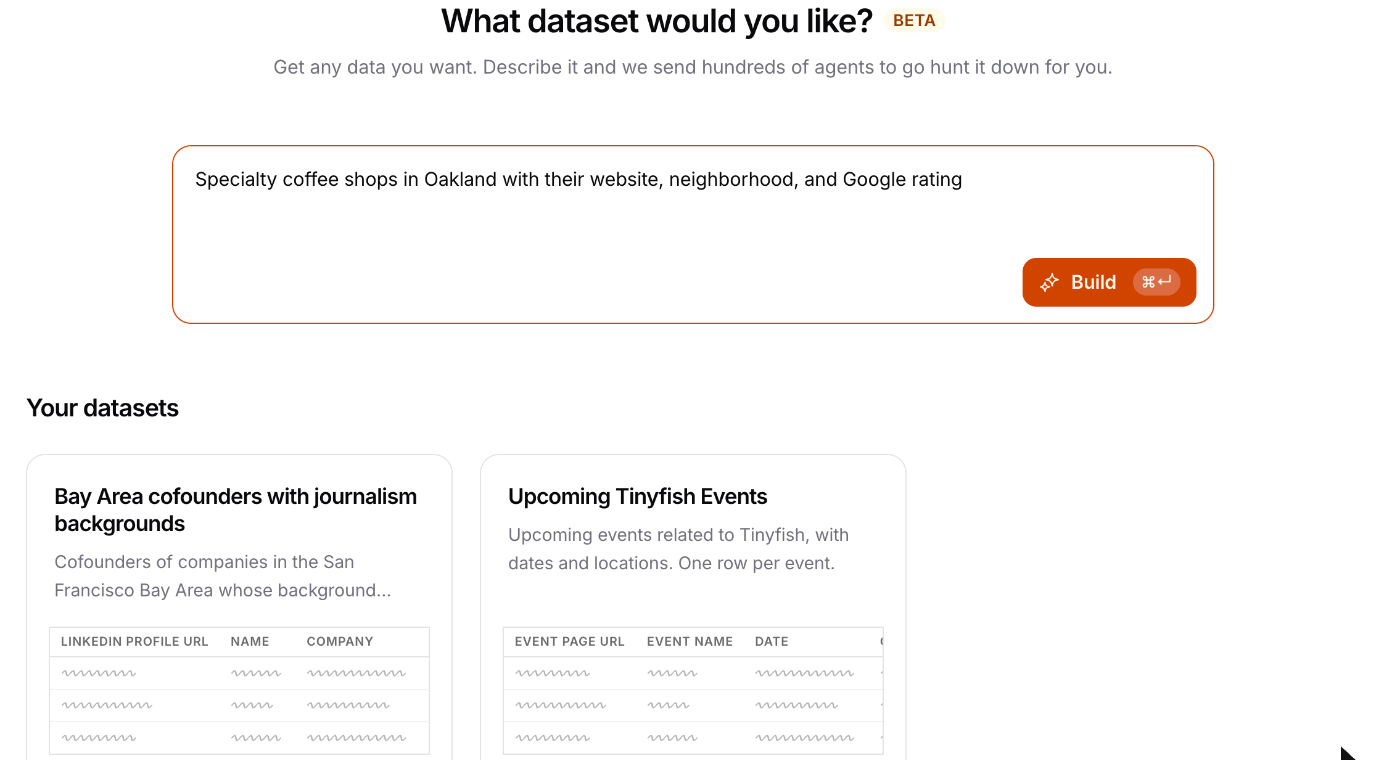
3
Confirm the schema
Check the planned columns before anything runs: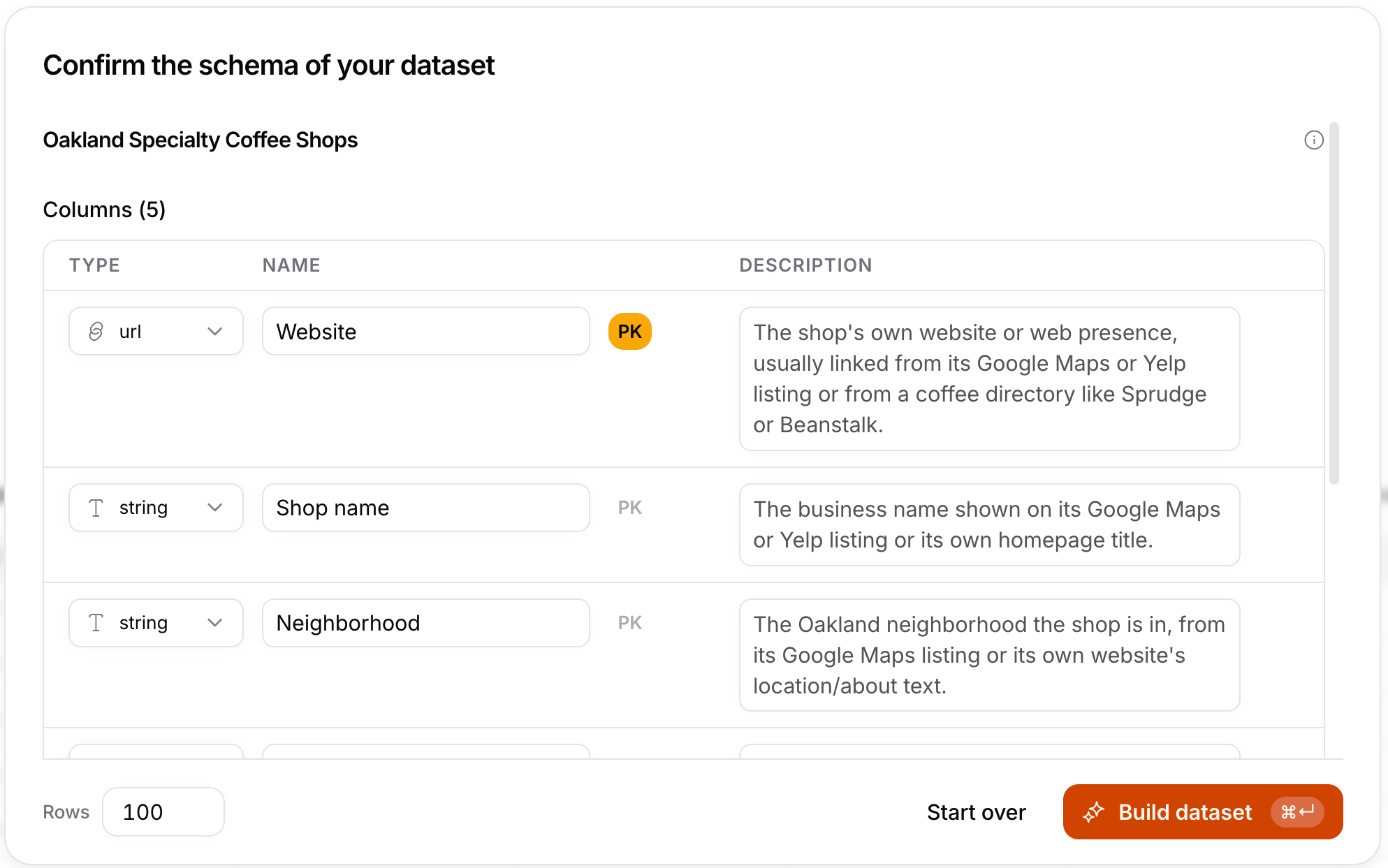
- Name the dataset.
- Edit columns. Rename them, change their type, or add an optional description that tells TinySet where to look for the value.
- Primary key. Click PK to mark at least one column as the primary key. It decides when two rows are the same thing, so pick something unique to each one, like a website or street address. A name alone can merge two locations of the same chain.
- Filter. Mark a yes/no column as the filter to keep only rows where it is true, such as “Has a roaster on site”.
- Rows. Set how many rows to fill to, from 1 to 250. Start with 25 to see results sooner.
4
Watch it fill
Rows appear in the table as TinySet finds them. A run usually takes 5 to 20 minutes, and you can leave the page and
come back. Your datasets are listed under Your datasets.
5
Use the results
Click Settings on the dataset to: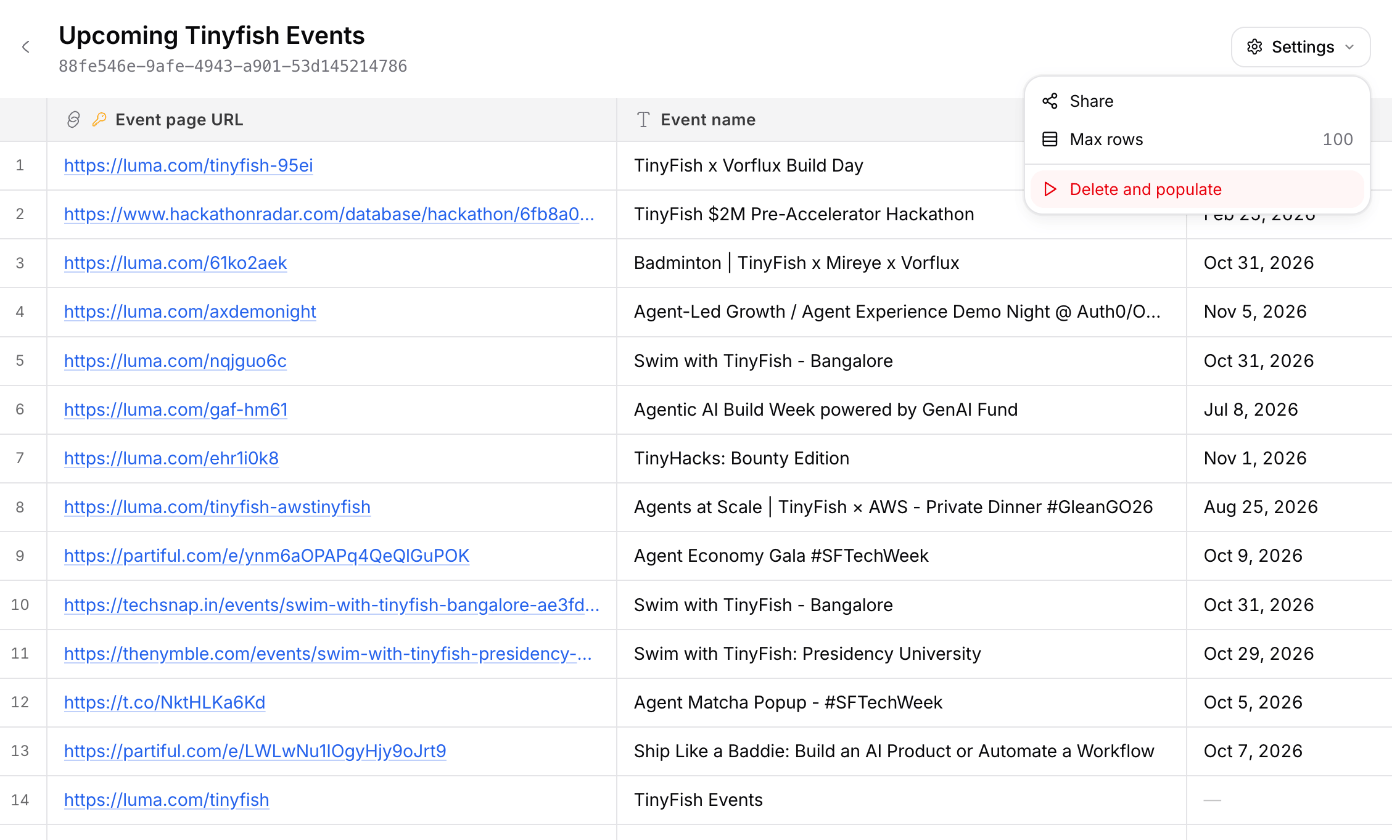
- Share to turn on a read-only link. Anyone with the link can view the table.
- Max rows to change the row target.
- Delete and populate to empty the table and fill it again from scratch.
Write a Good Prompt
- Name the entity. “Coffee shops” works better than “coffee in Oakland”. Each row should be one thing.
- Scope it. Add a place, a date range, or a category: “opened since 2024”, “in the Bay Area”, “Series A only”.
- List the fields. Every field you name becomes a column. Fields you leave out are left out.
- Prefer facts on public pages. Websites, addresses, founders, prices, and ratings fill well. Private or paywalled data does not.
- Don’t ask for a ranking. “Top 10” returns 10 matching rows, not the 10 best. Ask for a column such as a rating and sort it yourself.
From the CLI
Install the CLI and sign in:create and populate wait for the run by default. Add --async to return right away, then follow the run with
tinyfish dataset watch <dataset_id> <run_id>.
From the API
Create an API key at agent.tinyfish.ai/api-keys and export it:spec if you need to, then create the dataset from it:
GET /v1/datasets/{id}/runs/{run_id}/events, or check GET /v1/datasets/{id} until status is
ready, failed, or cancelled. A failed run explains why in run.error. Then page through
GET /v1/datasets/{id}/rows. See the reference for every field.
Read Next
Datasets reference
Endpoints, the spec format, statuses, events, errors, and limits
CLI setup
Install the CLI and manage your API key