

Target
You’ll run one automation that visits a live store and returns the first two product names and prices as structured JSON — no selectors, no scraping rules, just a goal in plain English. Pick a tab below: through the Playground, or with the API.Expected result
Steps to do
- Playground
- API
1
Sign up or log in
Go to agent.tinyfish.ai and click Sign up —
or Sign in if you already have an account. New accounts start
with $8 of free usage, no credit card required.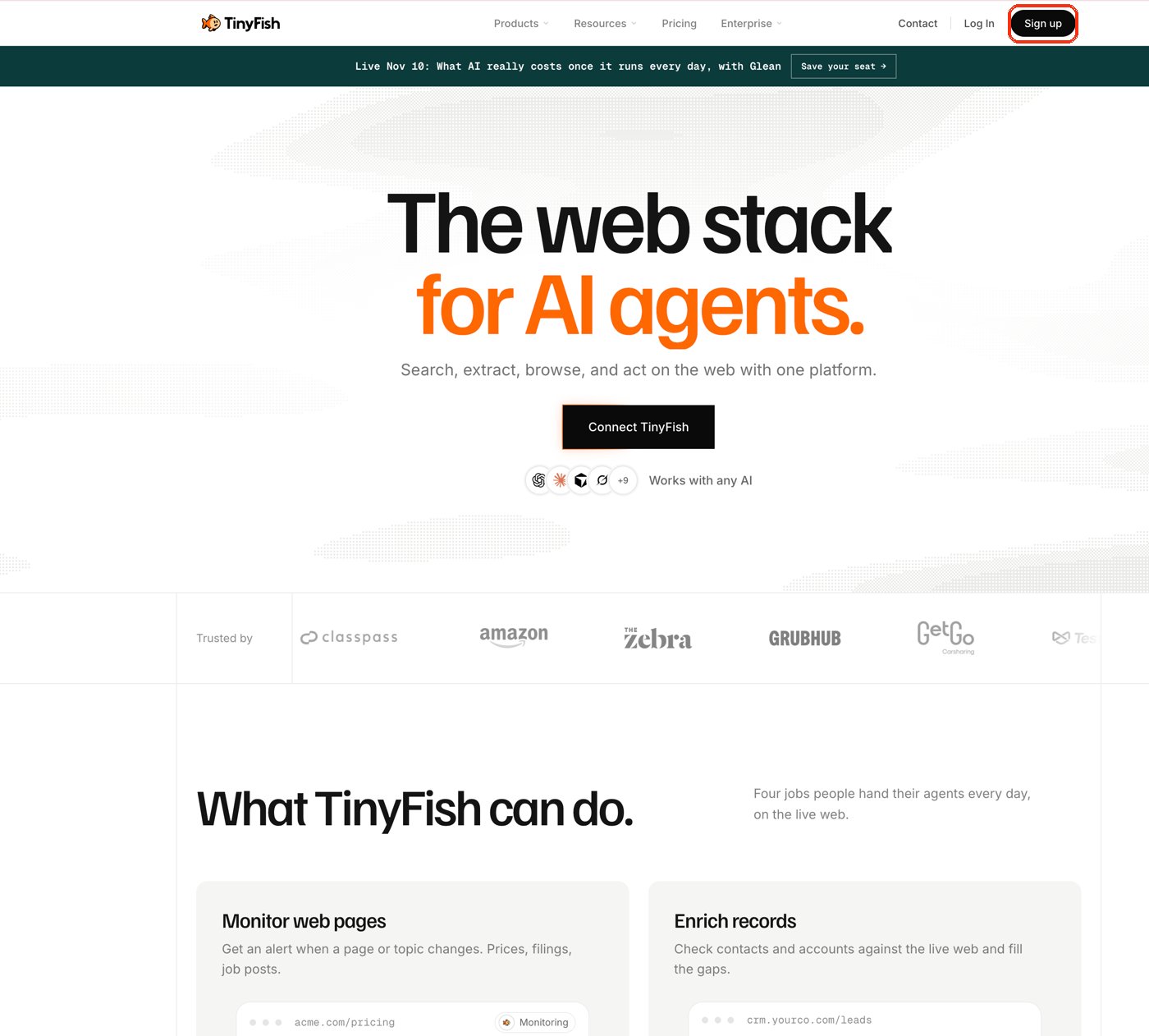
Click Sign up in the top right of the homepage.
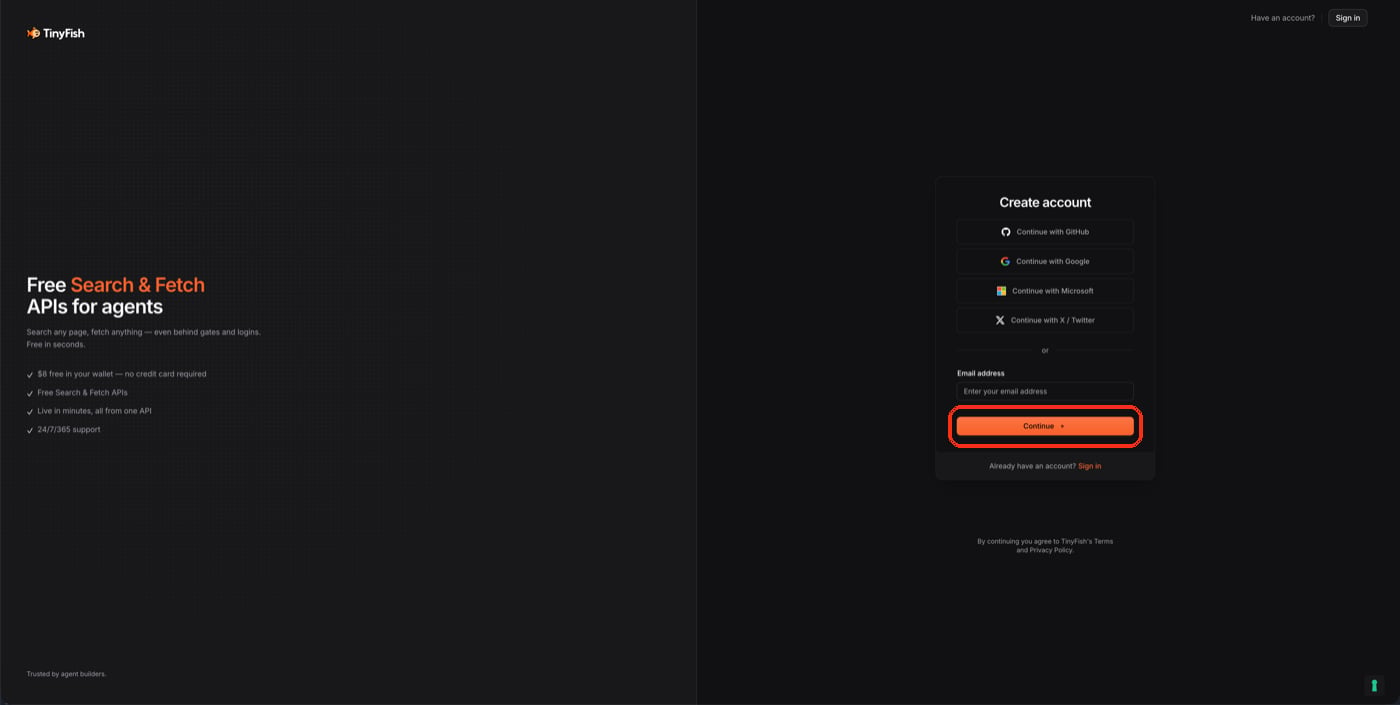
Create an account with GitHub, Google, Microsoft, X, or just an email address.Pick a sign-in method, or enter your email and click Continue.
2
Open the Agent Playground
After signing in you land on your console. Click Agent — either
under Playground in the left sidebar, or the Agent card in
the middle of the page.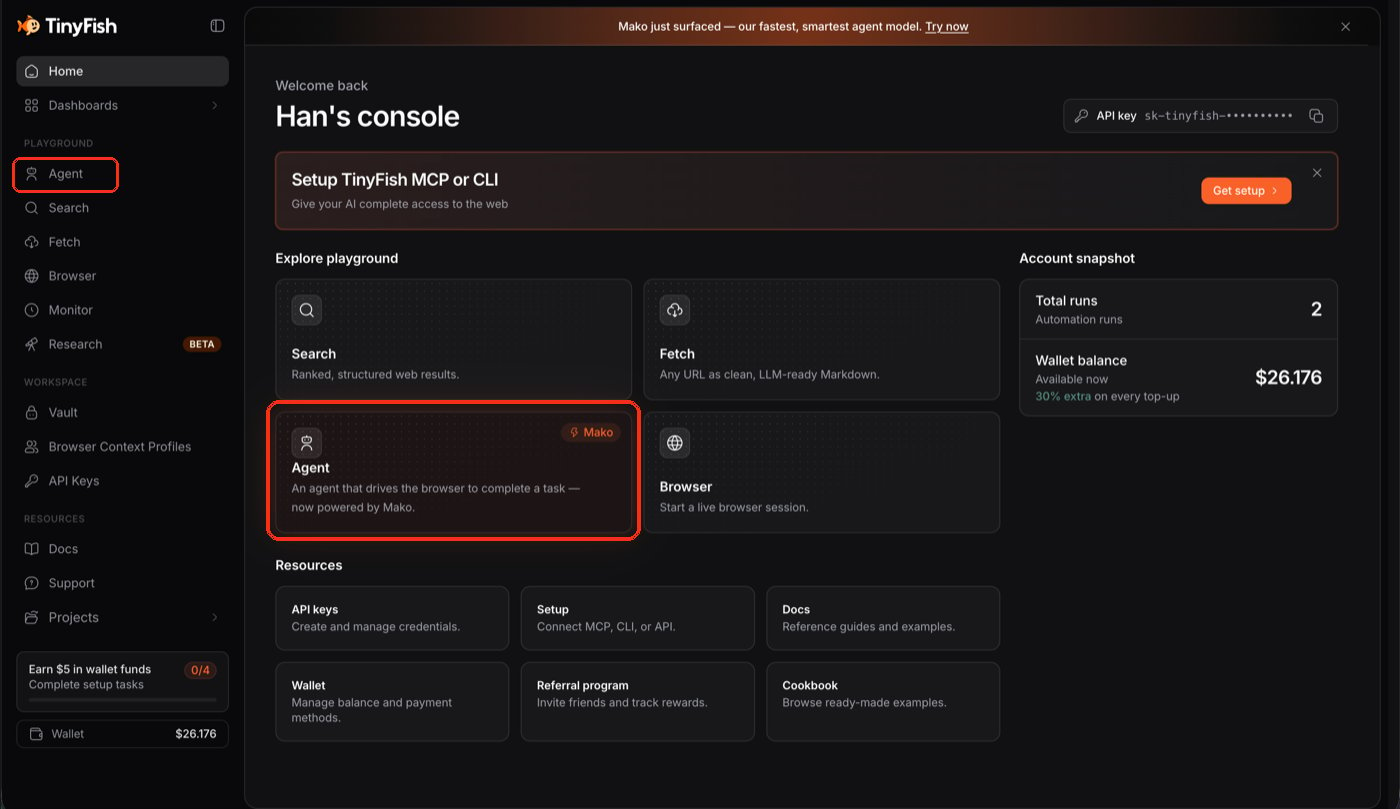
Two ways in: the Agent link in the sidebar, or the Agent card below.
3
Describe your task
The Agent Playground asks what you want the agent to do.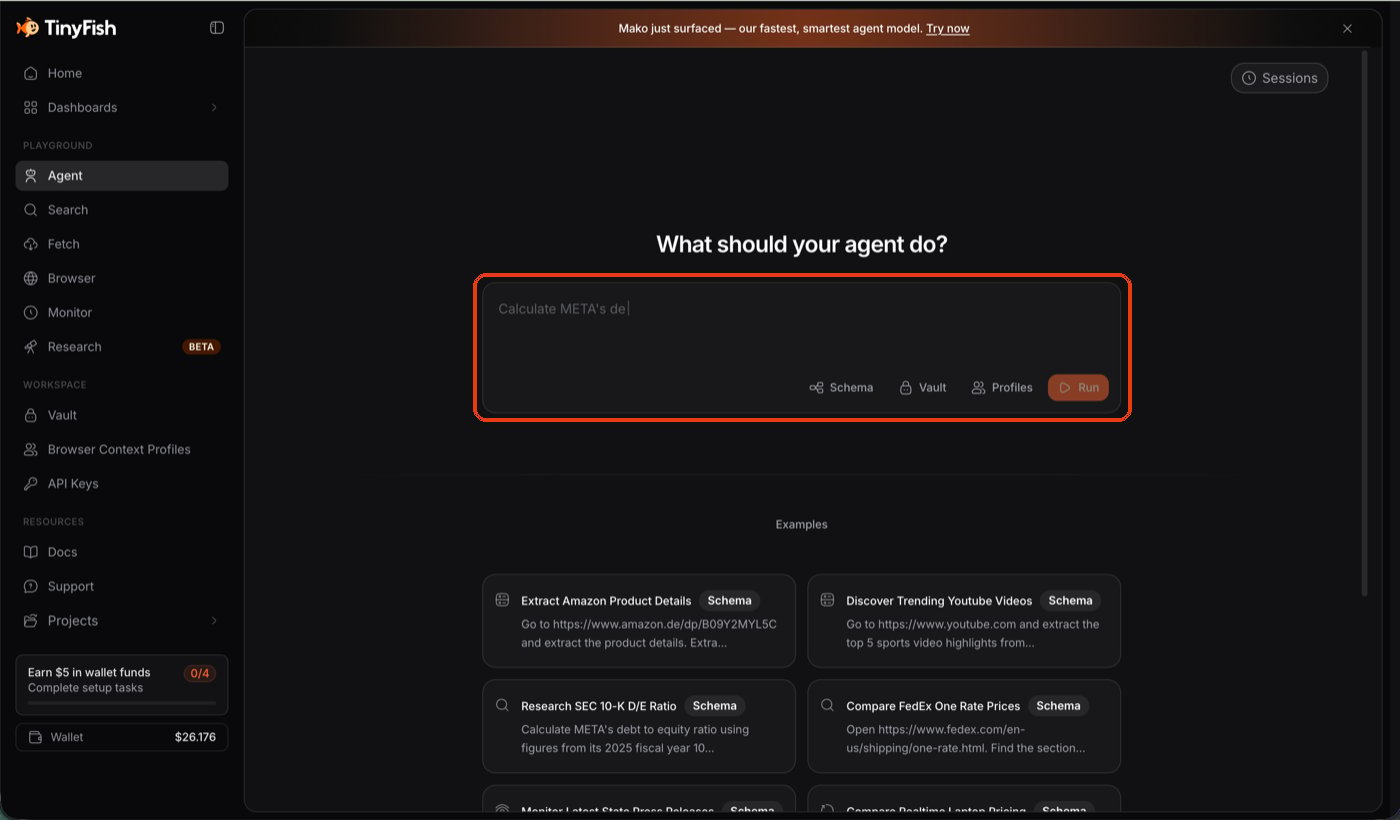
The goal box is where you describe the task, in plain English.
4
Type your goal, then Run
There’s one box, not separate URL and instruction fields — include
the site right in the goal:
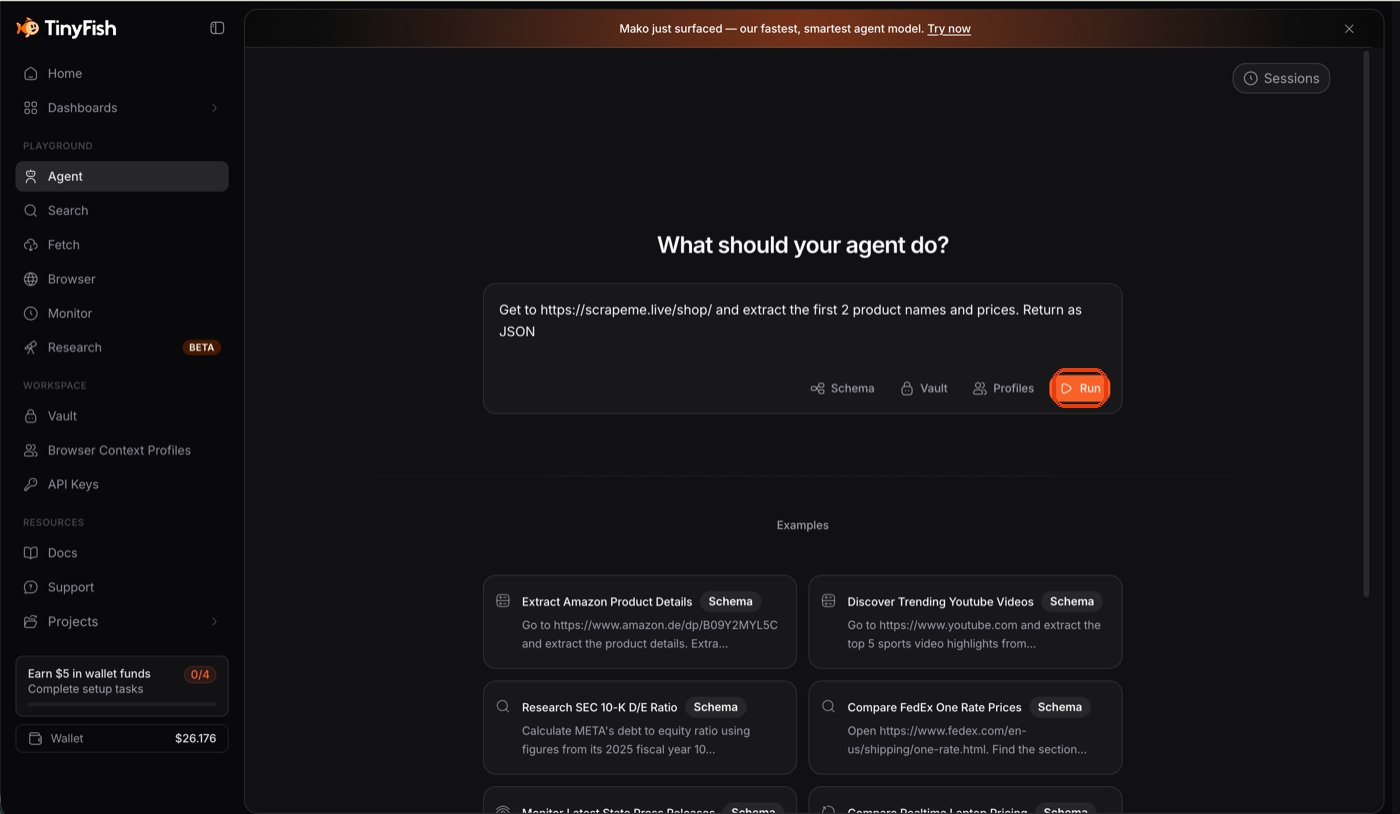
Get to https://scrapeme.live/shop/ and extract the first 2 product names and prices. Return as JSON. Then click Run.One box for the whole goal, URL included — then click Run.
5
Watch it run live
The Playground streams the browser live while the agent works,
checking off each step of its plan as it completes it.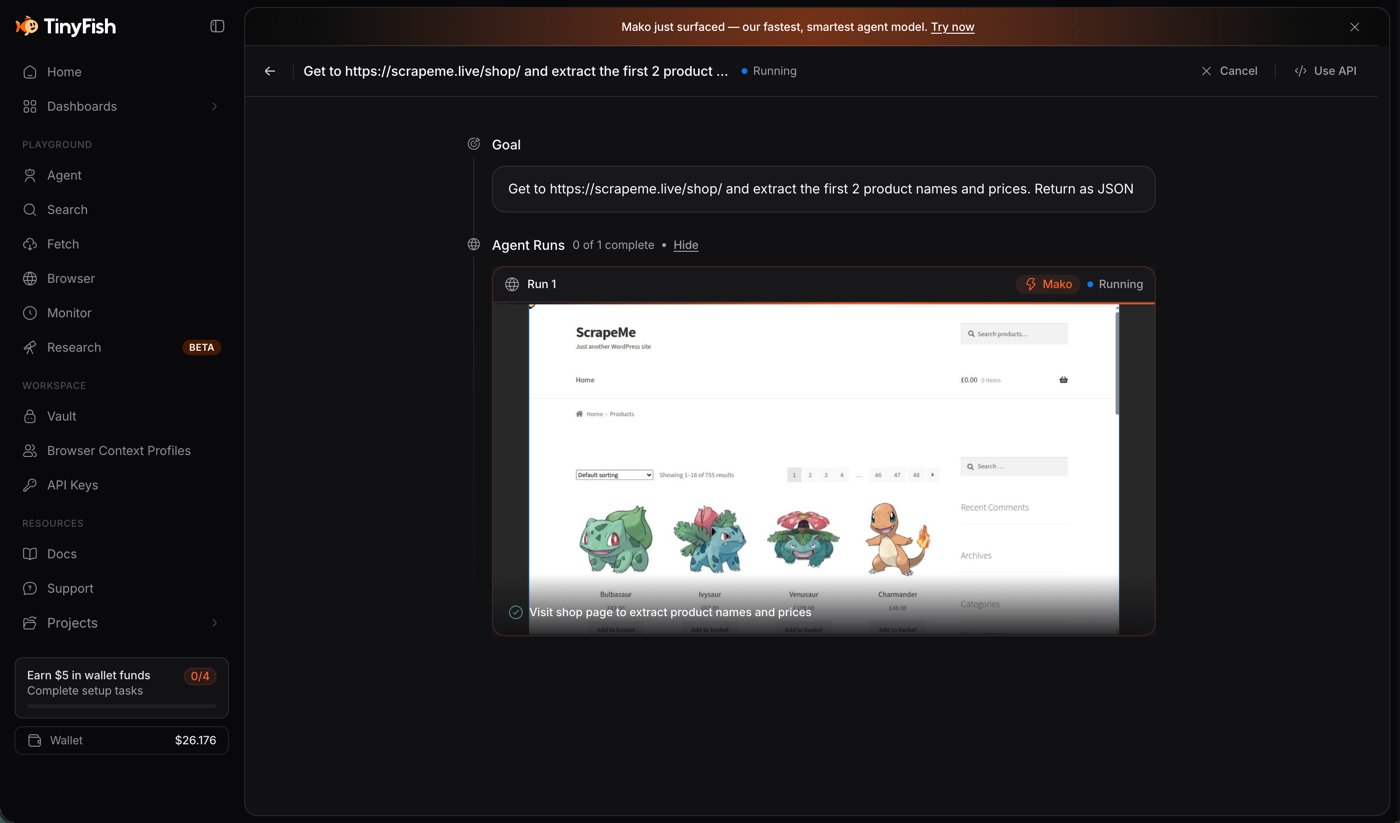
Watch the live browser view update in real time as the agent works.
6
Read the result
Once every step is checked off, the run is complete.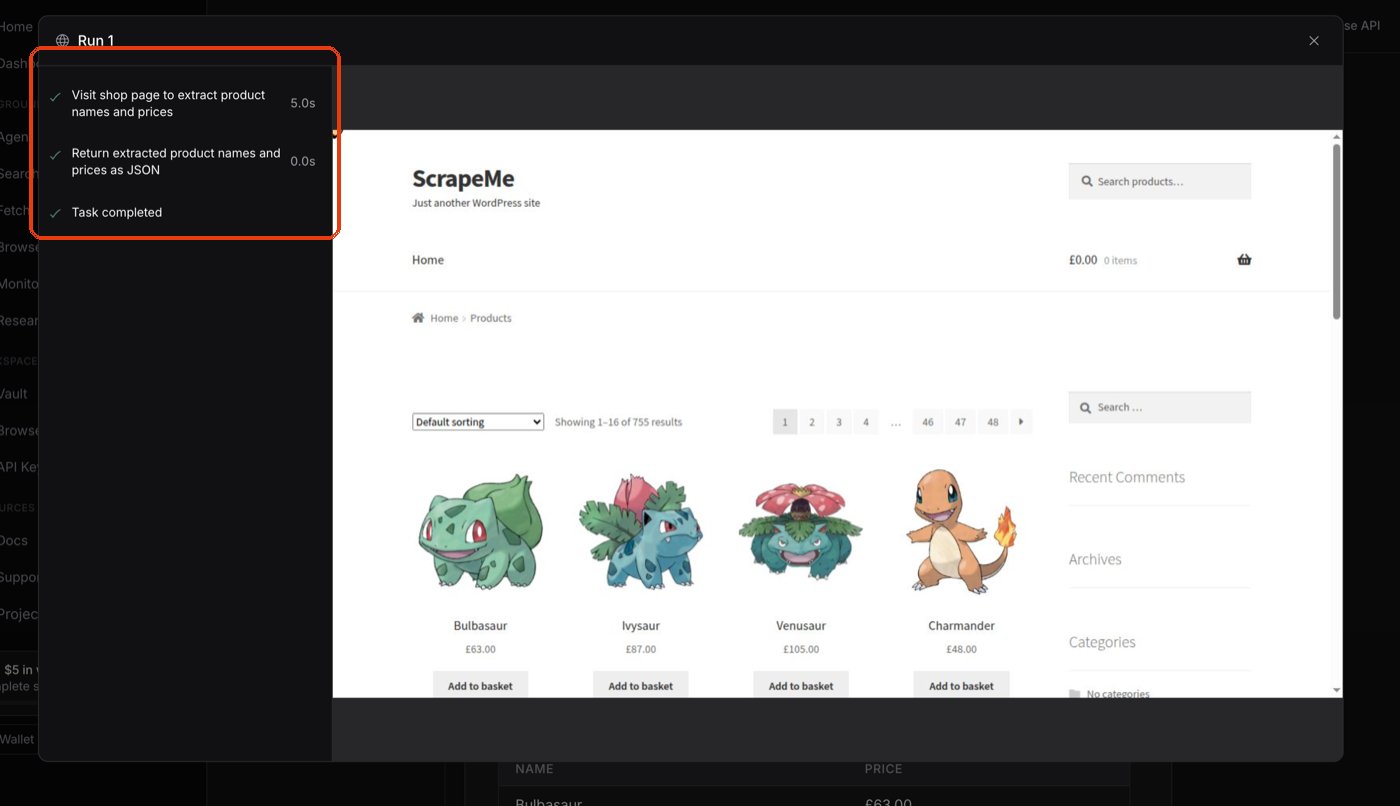
Each plan step gets a checkmark as the agent finishes it.
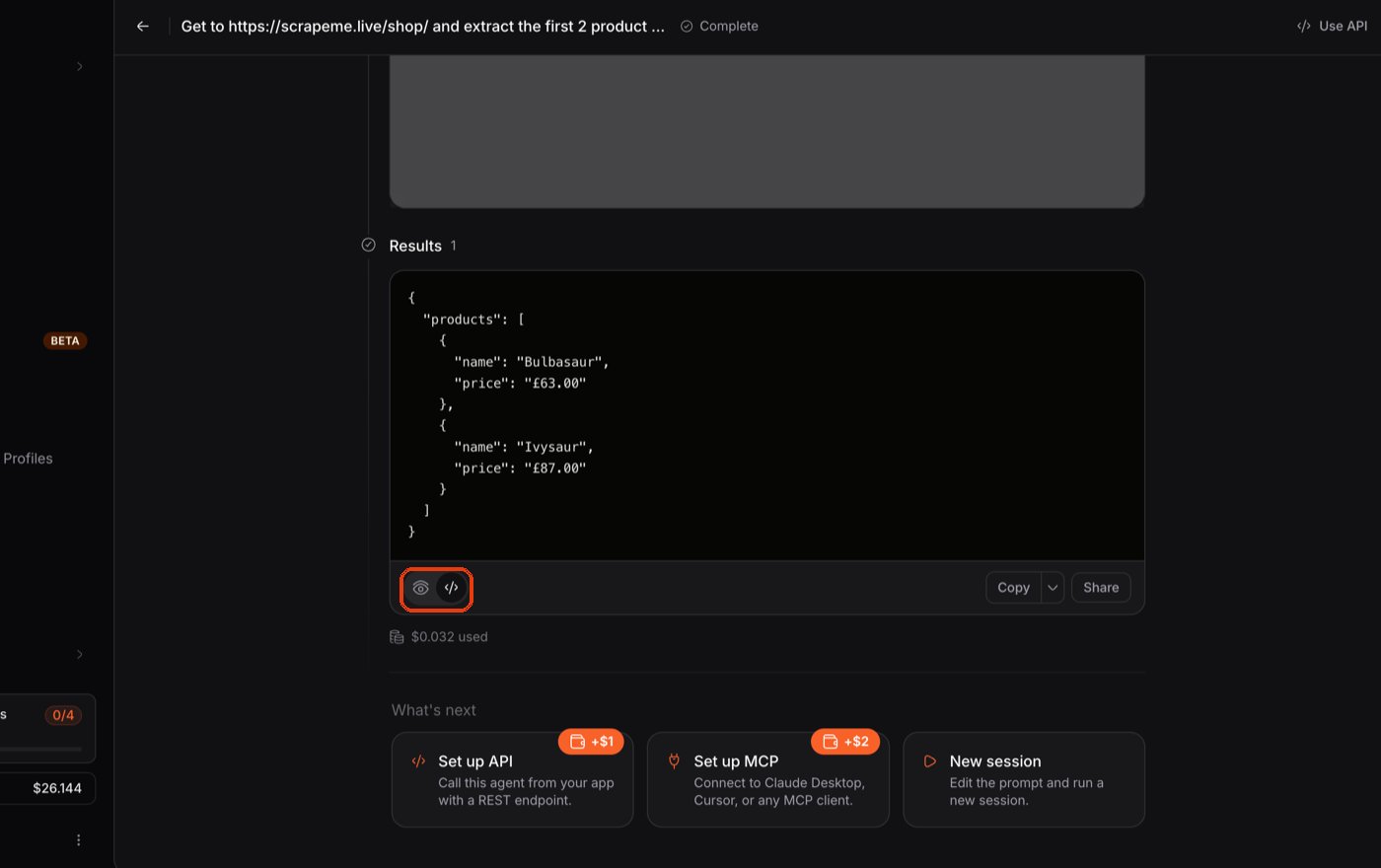
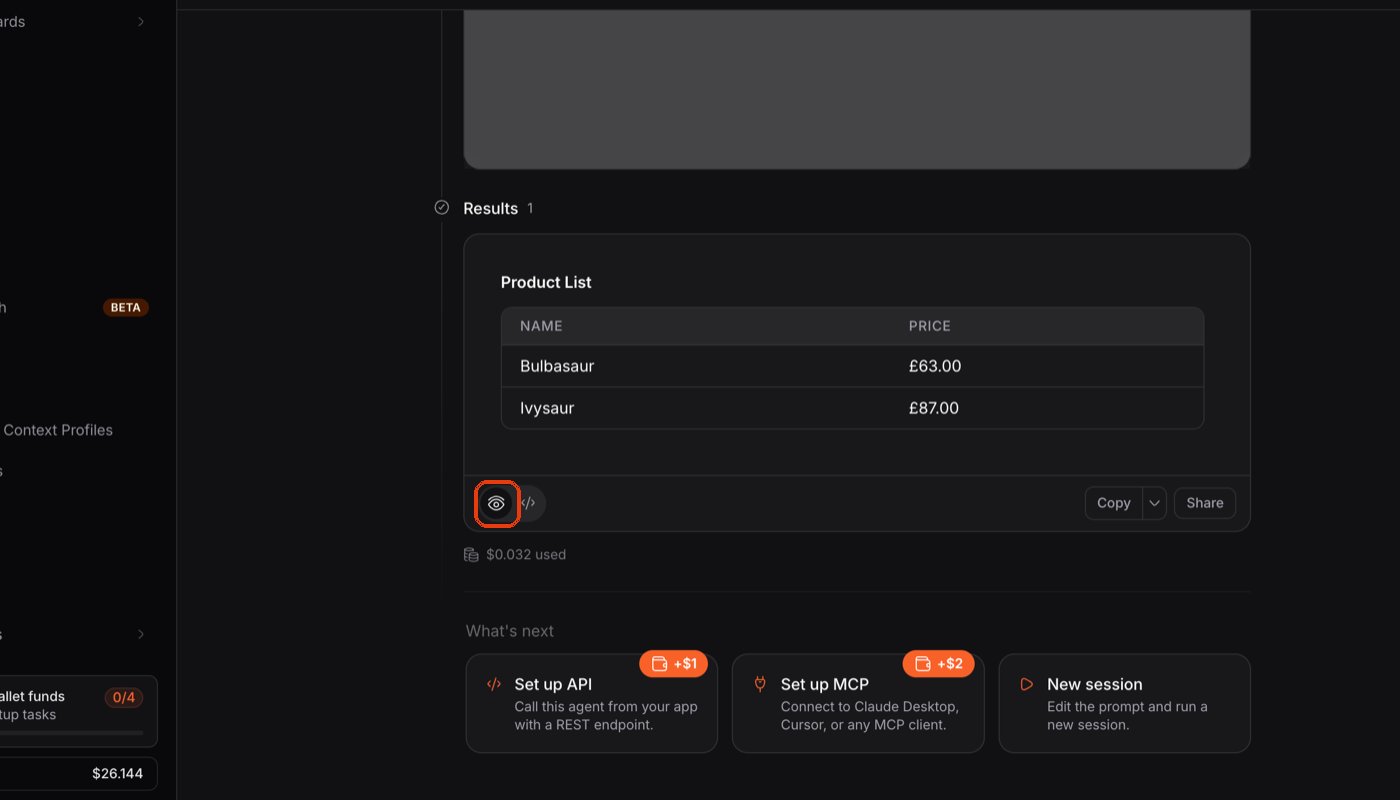
The result appears below — as raw JSON, the same shape shown above:Default view: the raw JSON result. Click the eye icon to switch views.
or toggle to a readable table for the same data:Table view of the same result — handy for a quick human read.
Next Steps
How-to Guides
Structured output, multiple URLs, Vault logins, and Agent Mode
TinyAgent Reference
All endpoints across Agent, Runs, Profiles, and Vault
Runs
Understand status, polling, and completion
Goal prompting guide
Write more reliable automation instructions