

Capability:
agent_config (beta — enroll at agent.tinyfish.ai/beta to enable it for your account)Join the Beta
Agent Mode and Max steps are beta-gated — this is required before either the Playground or the API will accept them. Enroll at the Beta Program page to unlock them.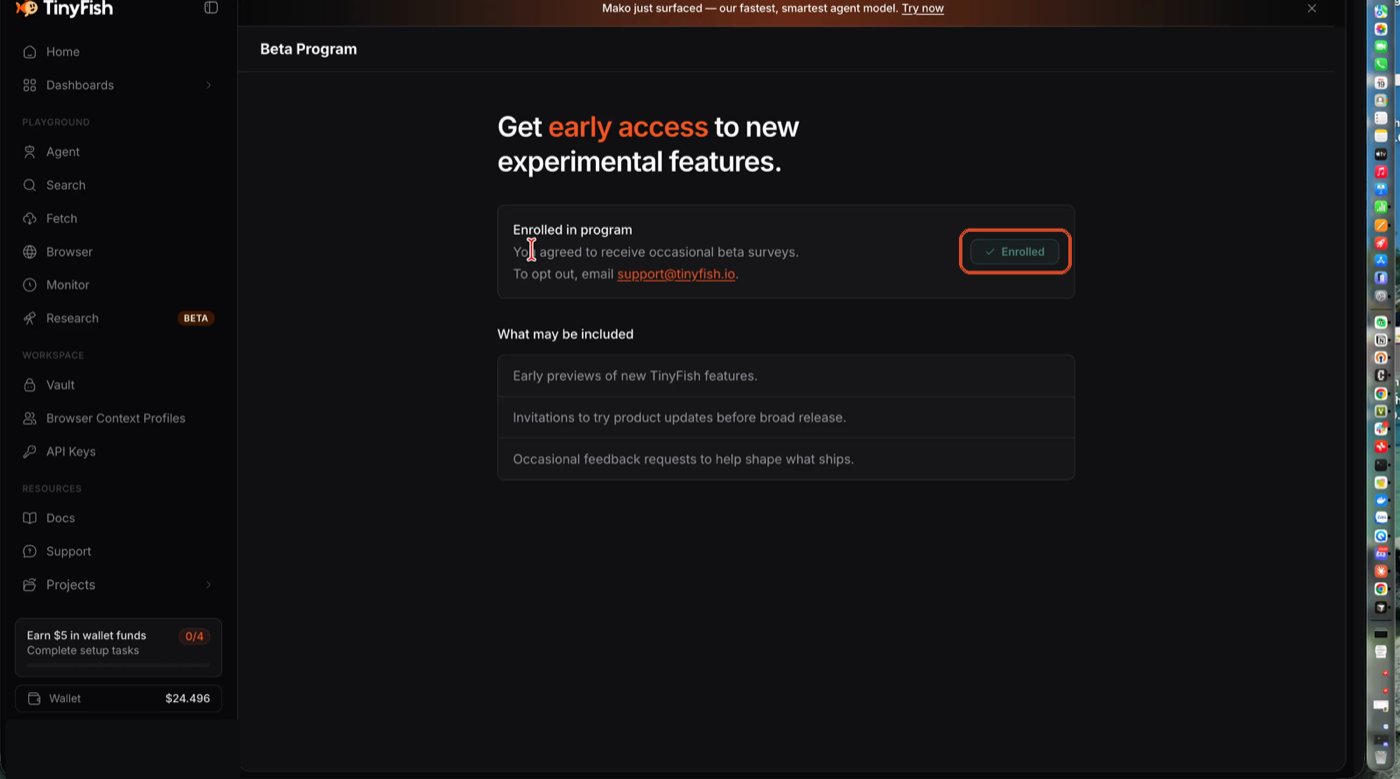
Click Enrolled to join — this unlocks beta-gated fields.
Set Up in the Playground
1
Open Run settings
In the Agent Playground, click the gear icon next to Run.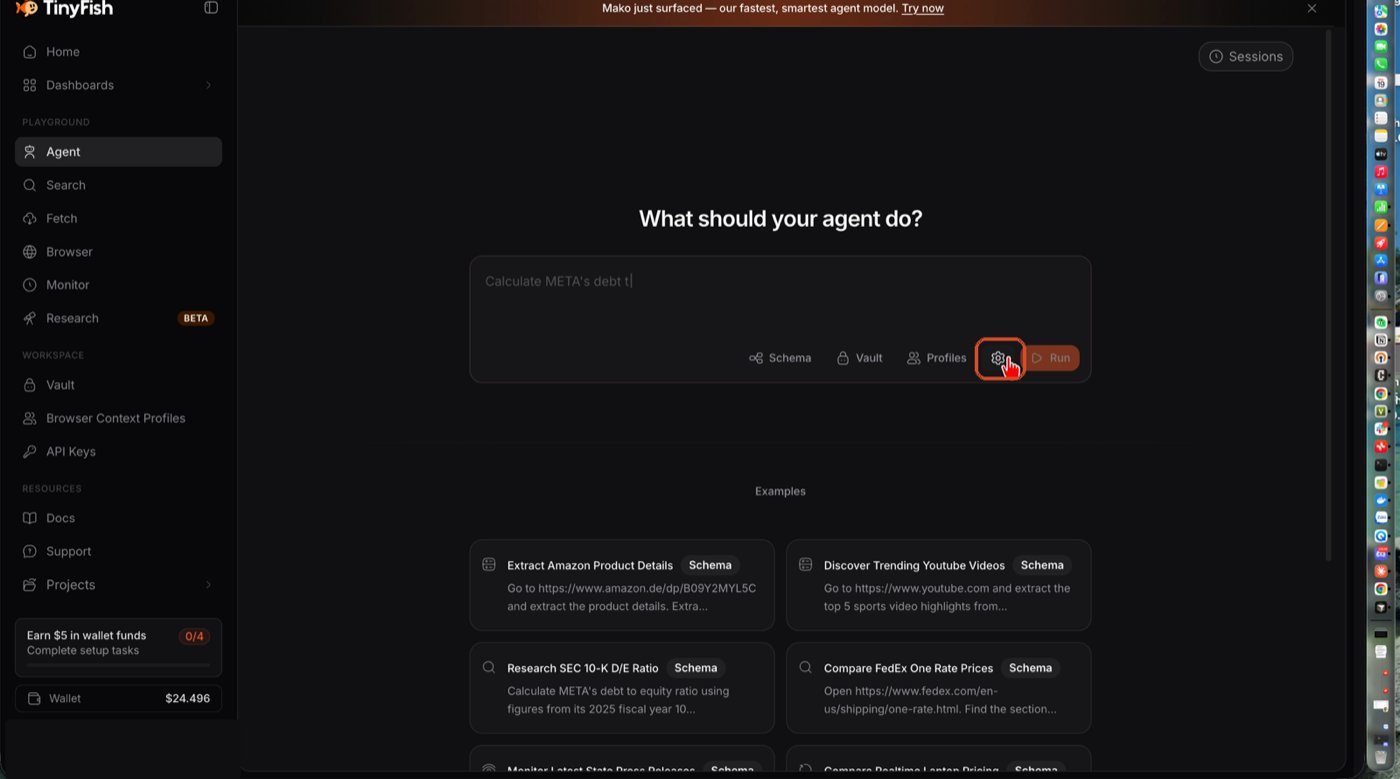
The gear icon opens Run settings.
2
Switch Agent Mode to Strict
Set Agent Mode to Strict for a run that should stop instead of
exploring workarounds. Leave it on Default for open-ended tasks.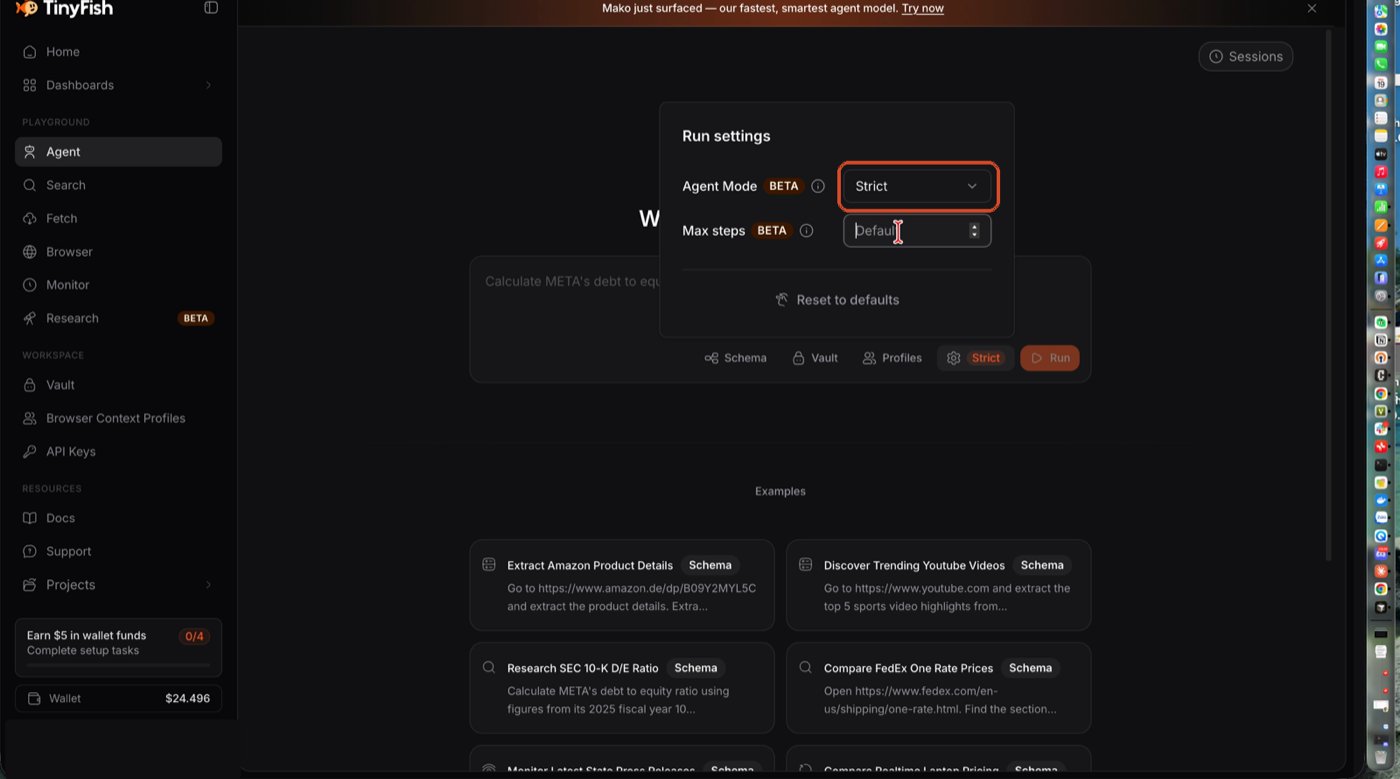
Strict selected — the toolbar badge confirms it’s attached.
3
Set Max steps
Type a step limit. The toolbar badge updates to show both settings at a
glance.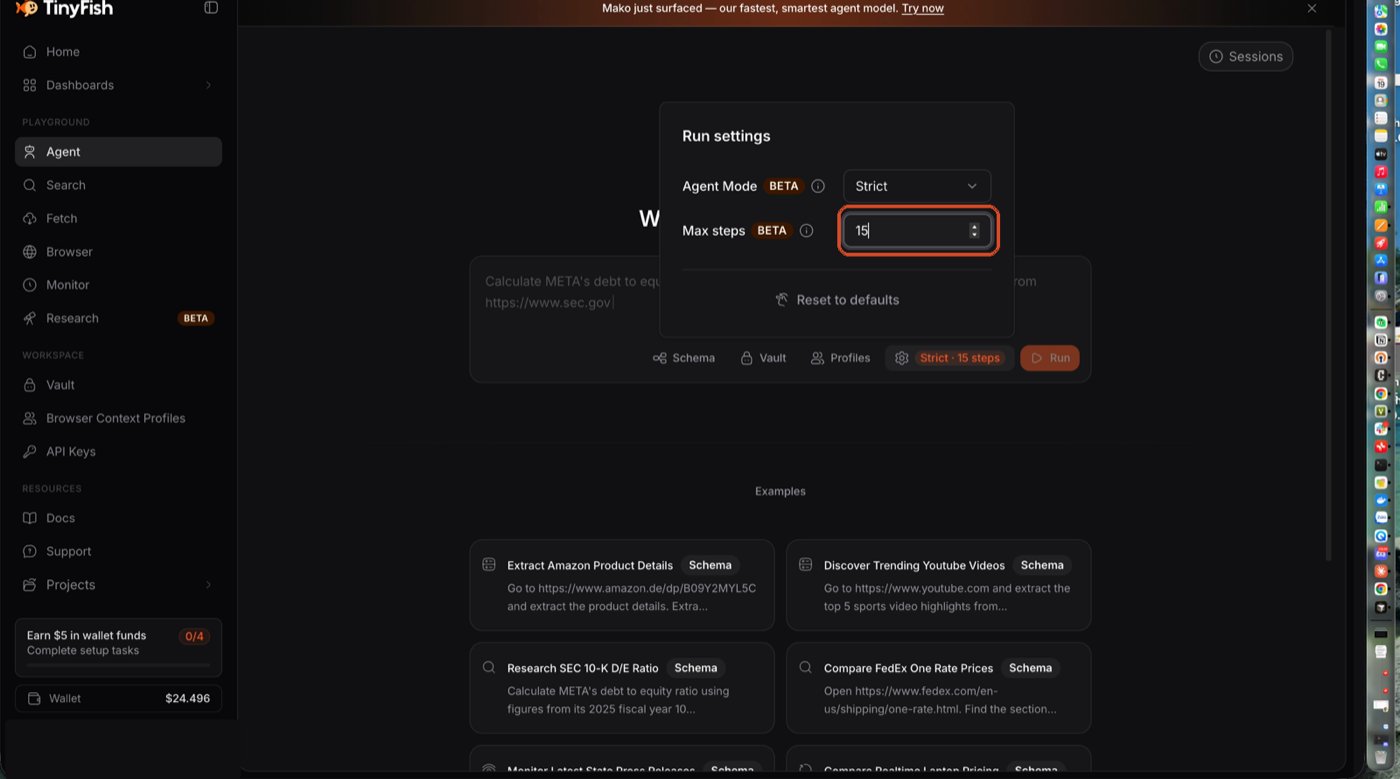
Strict · 15 steps — both settings are now attached to the run.
Set Up With the API
mode: "strict"makes the agent stop the moment the page isn’t what it expected, instead of trying alternate paths. Use it for precise tests and repeatable automation — use the default mode for open-ended browsing, search, or recovery-oriented tasks.max_stepscaps how many tool-call steps the run takes, from 1 to 500. Lower it to fail fast and bound cost on simple goals; raise it for multi-page workflows that legitimately need more steps. Omit it to use the default of 150.
max_steps
gets 403 FORBIDDEN; requests that omit it are unaffected.
Related
Agent Mode, Max Steps, and Max Duration
When to use each, and how they combine
Agent Config Reference
Full
agent_config request schema